Showing posts with label Schoolhouse Review Crew. Show all posts

Wednesday, September 18, 2013

TOS Review: The Presidential Game


My latest review for the TOS Review Crew was for The Presidential Game.  Within an hour of  the game arriving my 17 year old had the game open and reading through the directions.  Then with his sweet tea at his side we all sat down to see who would become the President of the United States of American.  My team won the first game!!! :~)
The Presidential Game is a fun way to learn how the electoral vote process works. It also helps the kids learn the geography of the United States.  The game is intended for ages 11 & up, I will say that is a good age range.  My 10 year old played and did well, but didn't understand the full process and my 6 year old got bored quickly and went to do something on his own.   It does make for a great family game as you play on teams, The Republicans and The Democrats.  The price is only $35.  

When playing the game you have options on how you want to take your turn.  You can either fundraise which will allow you to get California, Florida, Texas, or New York.  Also, with fundraising you will get a Political Card which may give a state or take one away just depending on which card you choose.  The other move option is Campaigning and you can choose any state to give your electoral votes.  The process by which the game follows is the number of weeks you choose to play.  You can pick between 1 to 30 weeks, 15 weeks takes about 30 minutes or so. Through out the game with strategy you can win or lose the different states.   Of course the winner is who ever has the 270 needed electoral votes need to be President.  
The game is very well made and will last a long time.  I very sturdy game board with very bright colors, 6 dice (3 red and 3 blue), 150 red chips and 150 blue chips, You also get 80 Political Cards that can help you or hurt you.  Here's an example 

"Your opponent is interviewed by ESPN but forgets who won the Super Bowl, even though it was his/her home team.  Pick up 4 votes to be used any way you like."

You also get 40 blank Political Cards to make up your own, 

"Your opponent forgot the first Saturday in May is the Kentucky Derby when he visited the state.  Pick up 3 votes to be used any way you like."

The game also comes with ample score sheets, but you also get access to their Web Map Calculator which really helps move the game along.  We really enjoyed keeping score on the website so we have only used the score pad once.  

If you can't tell I loved the game and ALL of my kids did too.  



Photobucket


 photo Disclaimer2_zpsff718028.gif

Tuesday, September 10, 2013

TOS Review: PeopleKeys


Through the TOS Review Crew we were asked to review products for the PeopleKeys.  They have lots of products that can be used by teachers, administrators or employers.  They offer assessments in Personality Styles, Learning Styles and many others.  Some can be done online as well as in a workbook.  I could see where many of the titles would be very helpful in education, but I let my 15 year old daughter pick which one she wanted to use and she picked Personality Style Workbook  (for ages 13-adult). 
 The Personality Style Workbook uses the well known personality categories, DISC.  
D=Drive-Challenges
I=Influencing-Relationship
 S=Steadiness-Consistency 
C=Compliance-Constraints
$13 
Once we received the workbook off she went to discover her personality type.  After a brief explanation of different personality types and why it is important to know each of them she got started on a short questionnaire.  Once she finished the questionnaire she was instructed how to score it which gave her her personality style.  The workbook continues to give an overview of each style listing their; general characteristics, strengths, potential limitations, greatest fear, motivated by and ideal environment.  The most interesting pages cover the characteristics of each style.  They can read through their primary style.  It gives them “what others may admire about” them and “what could drive others crazy”.  We found that the questionnaire was right on with her personality.  It was actually amazing. 

At the end of the workbook you can list the different people you are close to and try and determine their primary personality style.  By doing this you can figure out the best way to communicate with them which will reduce tension or conflict and communicate more effectively.  

Using this product doesn't actually help us in our homeschool as a “curriculum,” but what it does do is help Sam see the best way to communicate with the people in her life.  Whether that is her parents, sibling, teammates, coaches, employers, etc. she can try to determine their primary personality style and understand them better. 


Photobucket

 photo DisclaimerGraphic1_zpsf612f371.gif

Saturday, August 10, 2013

TOS Reveiw: Bible Study Guide for All Ages


 photo logo_zpsd228aed3.pngJack, Evan and I have been working on Bible Study Guide for All Ages's Intermediate Student Pages and Bible Book Summary Cards for our latest review.  These Bible Study Guides are exactly what they say they are, For All Ages!!!  A fun way to move through the bible as a family.

You are able to move through the entire Bible in an in-depth study in 416 lessons.  The Order of Study moves through the Old and New Testament in the four units. Each of the four units would be covered in a year.  So you would be able to cover the whole bible in only four years.

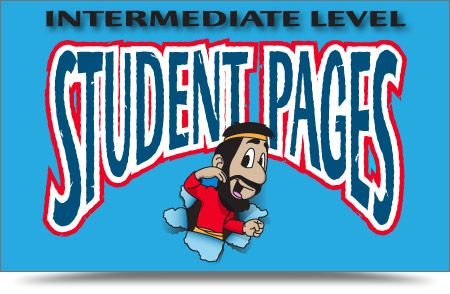
The Intermediate Student Pages are designed for 3rd and 4th grades.  Now Jack is 5th grade and Evan 2nd so I went up for one and down for the other.  That worked out great for us.  Evan could handle the work, but it was really easy for Jack.  We covered reviews, memory work, maps and timelines.  In the Discover the Bible section is when you read through the Bible scriptures and work through the really cute comic style pictures.  Check out a PDF review of the pages here.   They are encouraged  to get active and apply what they have learned to their lives.
The Intermediate Student Pages are $5.95 for lessons 1-26.

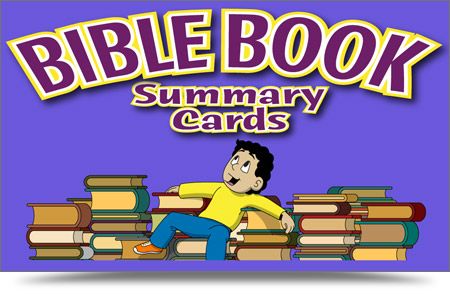
We also had The Bible Book Summary Cards that cover EVERY book in the Bible.  Each card  has pictures on one side showing the main topics in that book of the Bible.  On the back is a description of the pictures and questions you can use for review.  View a sample card here.
The Bible Book Summary Cards can be bought for $24.95

A few other additions that you could use are the Unlabeled Wall Map & Timelines, Teacher Keys, and Children's Songs Cds. There are lots of ways to order the material.

Jack, Evan and I worked on each lesson together two or three times a week.  The lessons teaches the Bible in a very fun setting.  They enjoyed the "comic" pictures in the Discover the Bible section. The boys read through the Bible reading and worked through the lesson together.  The timeline sections showed them just how things moved through Bible time and they enjoyed seeing themselves written in a the end.   That helps them see that they are apart of God's Story!!!

Timeline


Discover the Bible 


 photo Disclaimer2_zpsff718028.gif


Photobucket


Friday, August 2, 2013

Review: BrainFood Learnings, The Fascinating World of Birds

My son, Evan, who is 7 years old loves animals. He loves to learn new things about animals and telling people how much he knows. He was really excited when he got to be the one picking out which DVD we would be reviewing for BrainFood Learning.  We watched all of the product videos to pick the DVD he wanted.  He chose The Fascinating World of Birds.  BrainFood Learning offers DVDs on Birds, Mammals and Insects all of which would work very well with Apologia's Young Explorers Series.  The DVDs are recommended for children 3-11, but it is great for all ages.  You can get the DVD for only $14.95.  In the Curriculum section on the BrainFood Learning website you will find free downloadable lesson plans.  


Jack (10) on left and Evan on right enjoying the DVD.


The DVD is not your typical fluffy animal DVD, it is instructional and informative with great pictures and fascinating facts.  They teach them very interesting facts and some silly facts like "Why do Ostrich's eat rocks?"  


You can either watch the DVD through non-stop while it covers each bird or you can choose to watch by the bird of your choice.  It covers ostrich, penguin, Canada Goose, owl, hummingbird, woodpecker, macaw, pelican, American Robin and eagle.  The review section is set by levels.  The beginning levels cover flash cards of the birds and what is common by all birds then moves to a more advanced review which covers bird facts and scientific terms.  This was Evan's favorite part, probably because it showed just how much he learned.  With each right answer he threw his arms up in the air in triumph.   


Photobucket


 photo Disclaimer2_zpsff718028.gif


Thursday, July 25, 2013

Review: Homeschool Programming, Computer Programming Courses for Kids & Teens

Are you looking for a good and thorough computer science course for your middle schooler?

Check out Homeschool Programming. We recently were asked to review their KidCoder Visual Basic Series. It is designed for 6th - 8th graders, but 4th and 5th graders could work through it with more assistance.  The series offer Windows Programming and Game Programming.  Each course can be covered in one semester.  Windows Programming is for the first semester and the Game Programming is used for the second semester.  This program is a great basis for programming and teaches the Visual  Basic language to computer programming. The student will learn to create computer programs that they can use everyday.  The only pre-requisities are that your student needs to have basic computer knowledge and you will need to download the Microsoft Visual Basic 2010 Express.  You will need to check to see if your computer has everything needed check it out here.

You can order each course separately or in a Year Pack. 
Windows Programming course only $70, course and video $85, and the videos only $20
Game Programming course only $70, course and video $85 and the videos only $20
VB Year Pack course only $120, course and videos $145 and videos only $30


Semester One-Windows Programming covers 
  • Introduction to computer hardware, software and programming history
  • Using the Microsoft Visual Basic 2010 Express development environment
  • Managing numeric and text data
  • Making decisions about program flow
  • Obtaining and validating user input
  • Working with numbers and math operations
  • Working with strings (text)
  • Learning how to debug (find errors in) your code
  • Learning how to write loops to execute sections of code many times
  • Working with arrays (sets of data)
  • Publishing your programs to other computers
  • Putting it all together – write a simple graphical game!


Semester Two covers:
  • Game design concepts
  • Drawing shapes on the screen
  • Responding to keyboard clicks and mouse movements
  • Displaying and animating images
  • Object position, movement and acceleration
  • Collision detection
  • Playing music and creating sound effects
  • Artificial "game" intelligence
  • Saving and loading games
  • Game physics
  • Printing screens to the printer
Honestly, I was concerned about my daughter (7th grade) working on this course.  She hadn't done any computer courses before and I thought she would have to much trouble.  She did struggle a little through the beginning, but once she got the hang of it she did really well and really enjoyed it.  With the course we had access to the videos to help walk her through the course which I highly recommend.  Each chapter leads you step by step through the process of creating the different programs. The "Your Turn" sections at the end of each chapter is a great way to see how much she understood through the chapter.  Having the solutions helped her (and me) make sure we were understanding everything.  

She were taken step by step through basic programming.  Moving through the course slowly, a chapter a week.  Each chapter is sectioned into lessons so you see when you should stop and start. She worked through very basic programming like adding a button, labels, checkboxes and adding text. She worked through chapter eight where she made a Pig Latin Translator.  That was really neat.  Once the Windows Programming course is finished she will start Game Programming.

In the Game Programming we will continue some of the things we learned in the first course and add onto those.  We will cover things like Game Design, Screen Coordinates, User Input, Graphics and Drawings, Images and Animation, Sprites, Sound, Artificial Intelligence, Saving Games, Game Physics and Text Printing.  Looking forward to getting started on the game programming.  


Photobucket


 photo Disclaimer2_zpsff718028.gif

Wednesday, July 17, 2013

Review: Picaboo Yearbooks

Have you ever wanted to document your school year?  

Have you ever thought of making a book to show all the fun things your child has done through out the school year?  

Would you like a easy, fun way to make a yearbook for your school?


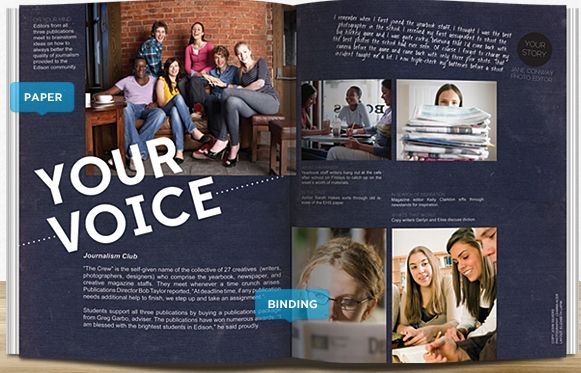
 photo 67706_520522131306078_514079593_n_zps2983de7c.jpg
With Picaboo Yearbooks you can just that.  With Picaboo Yearbooks there are no minimum orders, no deadlines and only three week turnaround.  You can order either a hard copy starting at $18.99 for 20 pages or soft cover starting at $8.49 for 20 pages. Then you can add extra pages for only 22 cents each.  Hard and soft copies come in two sizes 9"x15" or 8.5"x11" and both offer Photo Wraparound Covers.  Each school receives a free ebook of their yearbook.  It only takes three weeks to receive your yearbook.  The shipping for my book was $10.99, but it looks like they have lowered the shipping price to $8.99. Either way, the book was around $20.


I don't have time to create fancy scrapbooks and I don't want to print out picture after picture and then put them in a generic photo album. What I can do is set down at my computer and create a very unique, fun yearbook for my school!  I spent about five hours working on our 20 page yearbook.  This is such a great idea and I was so excited when this review came up.  This would be a great space saving idea too.  Instead of keeping all those art projects, lapbooks, science projects, etc. you could take pictures of them and make a book.
The website is really easy to use and they offer a Getting Started video. You set up your yearbook however you want.  You can add photos, stickers, change backgrounds and add text.  Downloading pictures was really easy. You can download them from your computer, Facebook and Flickr.  They download rather quickly too.  You can then assign them to any section, ever adding them to multiple sections.  As you work through the book you can preview it to make sure everything looks right.  Once you are finished editing your yearbook you will go through and "lock" each section.  They will bring any issue to your attention in case you missed it, like spell checks.  Once you have finalized everything and order your yearbook it will arrive in only three weeks!!
I am excited to work on our yearbook for next year all through out my school year.  I will also be working on a book for my son who will be graduating next spring.

Photobucket


 photo Disclaimer2_zpsff718028.gif

Monday, July 15, 2013

Review: Ed Douglas Publications, 25 TRUTHS

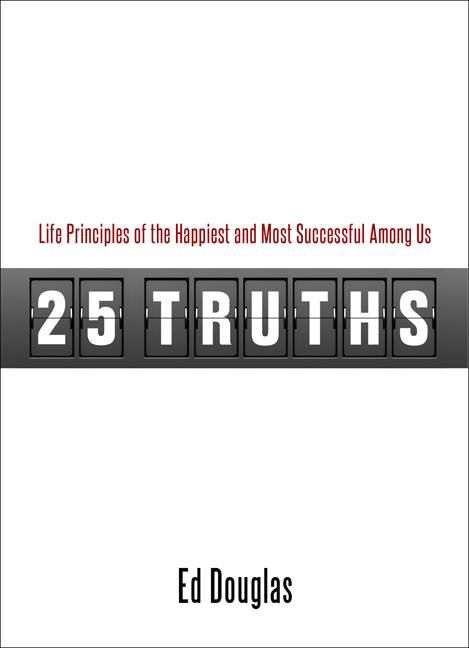
                    photo 25_zps13016d40.jpg


Like many other parents out there I want to instill Christian values to my children.  This isn't always an easy job in this world of ours.  So when the book 25 TruthsLife Principles of the Happiest and Most Successful Among Us by Ed Douglas Publishing came up for review I saw it as an opportunity to help  teach my children.   I have five children between 17 and 7 and we were able to use this book to discuss some really important things. Some of them were a little over my seven year old's head, but with explanation he understood. The suggested age range is for 6-12 years, but I would great with all my kids.

I love this book!!  Each and every truth that I discussed with my kids turned into a great discussion. From being truthful to setting goals we discussed lots of great things.


The book is built around Christian principles, which was very important to me. Each truth is written in short easy to read sections. He explains why each truth is important and uses personal experiences to reinforce each truth.  We are very busy this summer so we're riding in the car a lot.  Where better to share some great life truths?  While I was driving to volleyball practice, Holiday World or church I would have one of my children read a chapter of their choice and we would then spend some time going over the questions. It always was a good discussion.  A few of the truths are; Protect Your Reputation, Tell the Truth, Set Goals and Write Them Down and You've Gotta Believe. All of these truths are relevant to our lives today and have really inspired my older children to try and practice many of them.


The book sales for $12.95 on their website.
Click to read more reviews from the Schoolhouse Review Crew.


 photo Disclaimer2_zpsff718028.gif

Thursday, July 4, 2013

Review: Classical Conversations' PreScript Cursive Letters and Coloring


There seems to always be a debate whether or not to teach cursive handwriting in schools.  In our homeschool we do teach cursive handwriting.  I don't have my children write everything in cursive, but they do need to learn to write it and read it.  I was planning on starting my 2nd grader in cursive this fall then we received Classical ConversationsPreScripts Cursive Letters and Coloring for him to work through for a review and I am very pleased with this cursive writing book.  Along with the cursive writing letters there is included drawing and coloring.  

Letters and Coloring photo classicalConversations-lettersandcoloring_zpseefb78a5.gif
Only $12.99

PreScripts Cursive Letters and Coloring introduces children to the beginning of cursive writing and drawing.  Evan is a kid who loves to draw and color so practicing his cursive letters is just a bonus! The tracing with his finger and pencil helps with his fine motor skills.  Then he spends time coloring the pictures from medieval and modern world history.  He likes to search for the picture on the internet so he learns about the picture and how it should look.  Evan has struggled with some of the letters, but he is quite a perfectionist so he works really hard to try and get the letters just right.  I had him do four pages a day, four days a week.  That includes the upper and lower case letter, a drawing page and one of the coloring pages.  

PreScripts Cursive Letters and Coloring is for children 3 to 7 which may seem a bit early to start cursive, but I have found that most of my children write better in cursive  then manuscript.  I don't think he I will have him write a whole lot in cursive right now, but this book has given him the beginning skills needed to keep working on it.   
 photo Disclaimer2_zpsff718028.gif


Photobucket

Wednesday, June 12, 2013

Review: Christianity Cove


Are you looking for a fun bible activity?  Do you want to teach your children some bible truths?  Are you planning on teaching at a co-op and need ideas?  You need to check out Christianity Cove.  Christianity Cove offers tons of Sunday School lessons, Bible games, crafts, skits and activities.  We had the opportunity to review a couple of these activities Fruits of The Spirit Activity Kit and Bible Memory Games. I have the privilege of teaching my children about God's Word in our school so any opportunity to do that is a blessing to me as a Mom and teacher.  


Fruits of The Spirit Activity Kit is a great way to teach your children about Galatians 5:19-26; Love, Joy, Peace, Patience, Kindness, Goodness, Faithfulness, Gentleness and Self Control by using games, crafts, songs, snacks and worksheets.  With these hands-on activities it is fun to teach your children the character traits.  We made fruit salad, sang songs, jumped rope, made crafts and many more all the while learning.  Was a blessing hearing my boys, Jack (10) and Evan (7) talk about the area or "fruit" the need to work on. I think this would be a great activity to offer to a co-op.  It would be a lot of fun to offer to a larger group of kids.  You can get this activity for only $19


We also reviewed Christianity Cove's Bible Memory Games.  This is a large e-book offering lots of activities and game to help children learn Bible verses.  The book is divided into categories like salvation, love, good behavior and faith.  You can move around through the subjects however you want.  They use three different learning styles for each game: visual, audible and hands-on.  We used puzzles, hopscotch, jump rope and many other ways to master scriptures.  We were in the mist of baseball season and I felt it would be hard to learn so many scriptures at once.  So we used these games and activities to help them learn the scriptures needed for the baseball team.   You can check out a video here to see some of the activities.  The would be a great co-op class too and for only $29 not a bad deal. This was whole lot more fun then just our normal way of learning scripture!!  We will continue to use this through out our school year to help them master many more scriptures!! 

Photobucket


 photo Disclaimer2_zpsff718028.gif


Monday, June 10, 2013

Review: Motherboard Books, Let's Make a Webpage


(Price: $19.95)
We haven't done a lot of computer work, but I wanted my son, Jack, to try something different.  When Motherboard Books came up for a review I wanted to check it out.  We were able to review Let's Make a Webpage for our review.  Motherboard Books are written by a homeschool veteran, Phyllis Wheeler, who wants to help our children get a good foundation to computer knowledge.  She has lots of different programs to get you started.  My fourth grade son was able to work on her Let's Make a Webpage program.

We received and downloaded a 60 page e-book, this is just a short-term homeschool project for kids 8 and up, you will probably need to help your younger children. Children 10 and over should be able to do it themselves. Parents are given instructions which includes Internet Safety and uploading To the Internet. We downloaded the free trail version of CoffeeCup software. I did have trouble with this part (I downloaded the wrong thing), but I emailed Ms. Wheeler and she promptly helped me fix my problem. 
Motherboard Books Logo photo motherboardbookslogo_zps225f4801.jpg

Check out what is in the e-book. 
Table of Contents: Introduction for Parents
Lesson 1: An Interview
Lesson 2: Download and Set Up the Program
Lesson 3: Add Text
Lesson 4: Make a Table
Lesson 5: Add Photo
Lesson 6: From the Internet, Add Animations
Lesson 7: Browser Check, Backgrounds, Photos
Lesson 8: Sound
Lesson 9: Links
Lesson 10: Post Your Work
Appendix: How to Upload to the Internet 

Once I got everything downloaded we jumped right in. The directions were very easy to follow and the concept is great. My son interviewed his big brother about his job as a bat boy at our local Minor League Baseball team, Louisville Bats. The directions made the process very easy to work through. Jack could have done most of it on his own, but I worked right along with him. He really enjoyed adding the the photo, choosing the picture and adding the animations, he had a swinging bat and flying baseball.  His web page looked great and really loved that he created it. 


Photobucket

 photo Disclaimer2_zpsff718028.gif